Lab 1 - Basics of HTML
Go to solution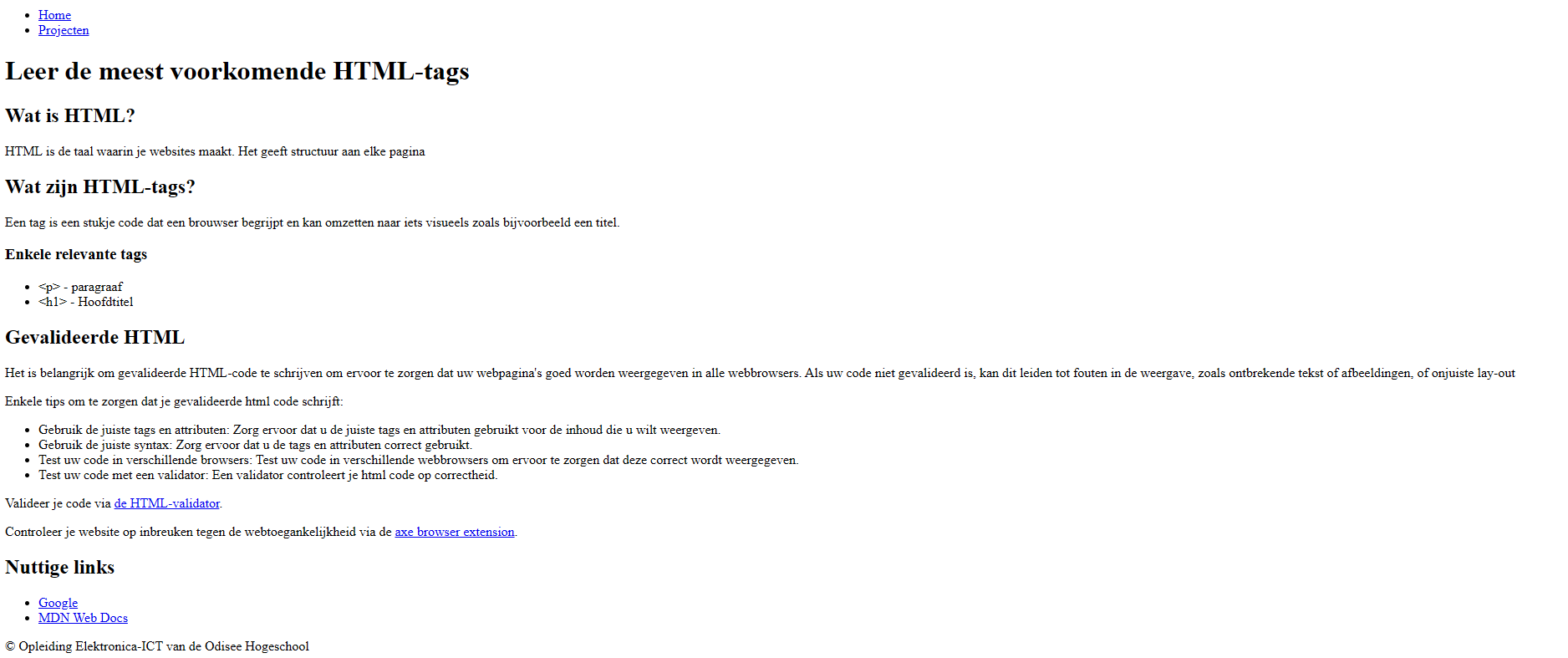
Goals of the exercise
- Set up the basic structure of an HTML page, including the required elements in the
<head>and<body>. - Use semantic HTML tags such as
<header>,<main>,<footer>,<nav>,<section>,<ul>, and<li>to clarify the structure of your webpage. - Create a navigation structure and always use relative paths between pages.
- Regularly validate your work with the W3C validator and aXe DevTools to detect errors and accessibility issues.
- Organize your project in a logical folder structure without capital letters or spaces in filenames.
- Add relevant metadata in the
<head>, including the page title and language settings (nl/en). - Add images to your project and use correct folder structures and relative paths.
- Always use an
<h1>inside the<main>element to define the main heading on each page. - Publish your website correctly on a server and ensure that all links work and the page is accessible via the provided URL.
- Finish your project on time and make sure it is published before the deadline.
Description
For this exercise you use your favorite IDE W3C validator and aXe DevTools. Be sure to always use semantic elements
Related links
Reflection
Woaw!
it was nice learning how to use sematic elements